
We're excited to announce that you can now set your workouts to automatically upload to SportTracks from Polar sports watches and bike computers! If you've ever been tempted to try one of Polar's excellent devices, like the Styrd-compatible V800 multi-sport watch — this seamless integration with SportTracks just might be the incentive you needed. Auto-sync with SportTracks works with all devices that are compatible with Polar Flow.
We've built many innovations into SportTracks over the past decade, and every day we work on exciting new features, but one of the things that makes this partnership special is being a part of Polar's long history of pushing the boundaries of sports tech. They are the company that released the world's first wireless, wearable heart-rate monitor way back in 1982, and it was built specifically for sports training.
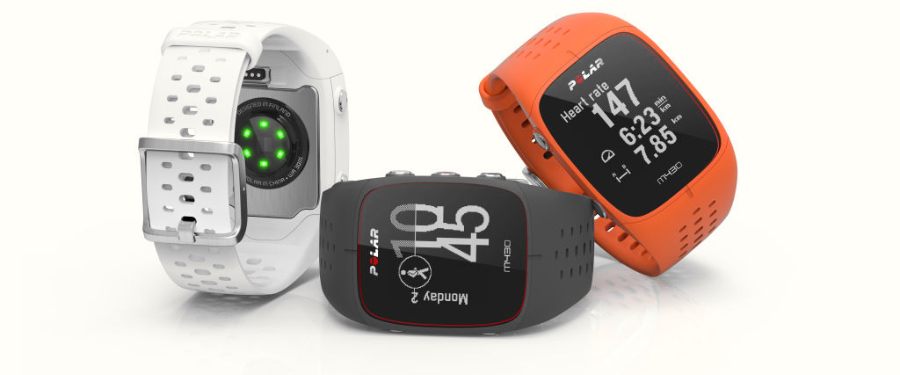
How to set up auto-sync
1. Click on your profile in the upper right corner of SportTracks, and the click the My Account button.
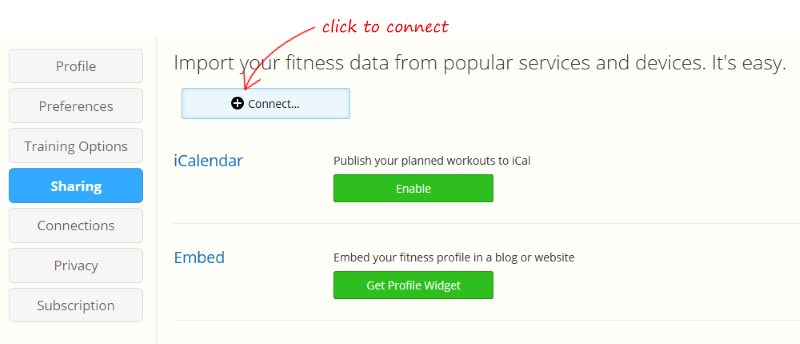
2. On the next screen, select the Sharing tab on the left of the screen and then select the Sharing tab on the left, then select the Connect button:
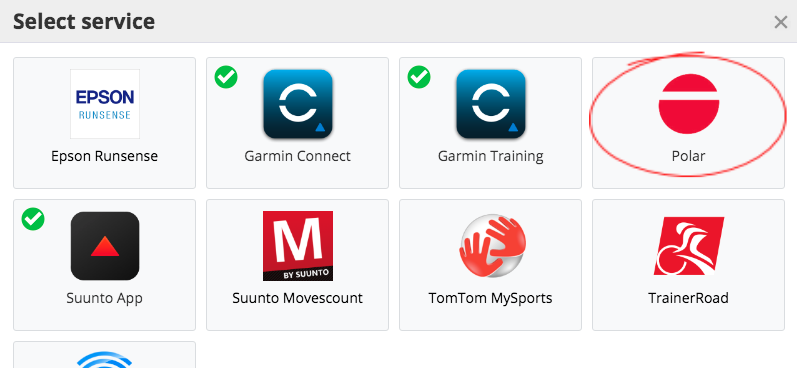
3. Next, select the Polar option:
4. You will be taken to the Polar Flow website where you will be asked to authorize SportTracks to access your account. Click the Authorize button (you may need to enter in your login credentials).
After you authorize, SportTracks will be able to import any new workouts you complete in the future. A limitation in the Polar Flow API prevents SportTracks from being able to import your past workout history.
Devices compatible with Polar Flow + Auto-Sync
- Polar Vantage M
- Polar Vantage V
- Polar M200 GPS Running Watch
- Polar M400 GPS Running Watch
- Polar M430 GPS Running Watch with Wrist-Based Heart Rate Monitor
- Polar M600 GPS Smartwatch
- Polar V800 Advanced Multi-Sport GPS Watch
- Polar M460 GPS Bike Computer
- Polar V650 Smart GPS Bike Computer
We've been wanting to make this integration with Polar for a long time, and we're excited to bring it online and offer it to you. We love giving our customers as many training options as possible, and welcoming Polar to our family of hardware partners is a major step forward toward this goal.
| Article written by Sam Mallery, Director of Marketing, Zone Five Software Inc. |
Comments
Hi. If I track a workout with heart rate only using the Polar OH1, will this sync over to ST ?
IS it possible to do the other way around, i.e. send workout data FROM Sporttracks TO Polarflow ?
Same question for Garminconnect ?
I just replaced my Polar M200 with Polar Ignite. My run data is still flowing. However, the time comes across wrong. For example, I see 4:20pm on my watch, in my phone and on Polar Flow, but in SportTracks it will be 5 hours later, 9:20pm.
Do I need to configure a time zone or something?
Up until about 5 weeks ago my workouts were synchronized between Polar Flow and SportTracks mobi without any problems. The settings are shown as correctly connected for Polar and SportTracks. However, the data is no longer synchronized automatically. Only after contact with the Polar service are they apparently transferred manually by Polar. Has anyone had the same experience in the forum?